TwoNote
Clone of OneNote
Free note-taking app with notebooks, sections and pages. Notes are end-to-end encrypted and sync through a server you host yourself.
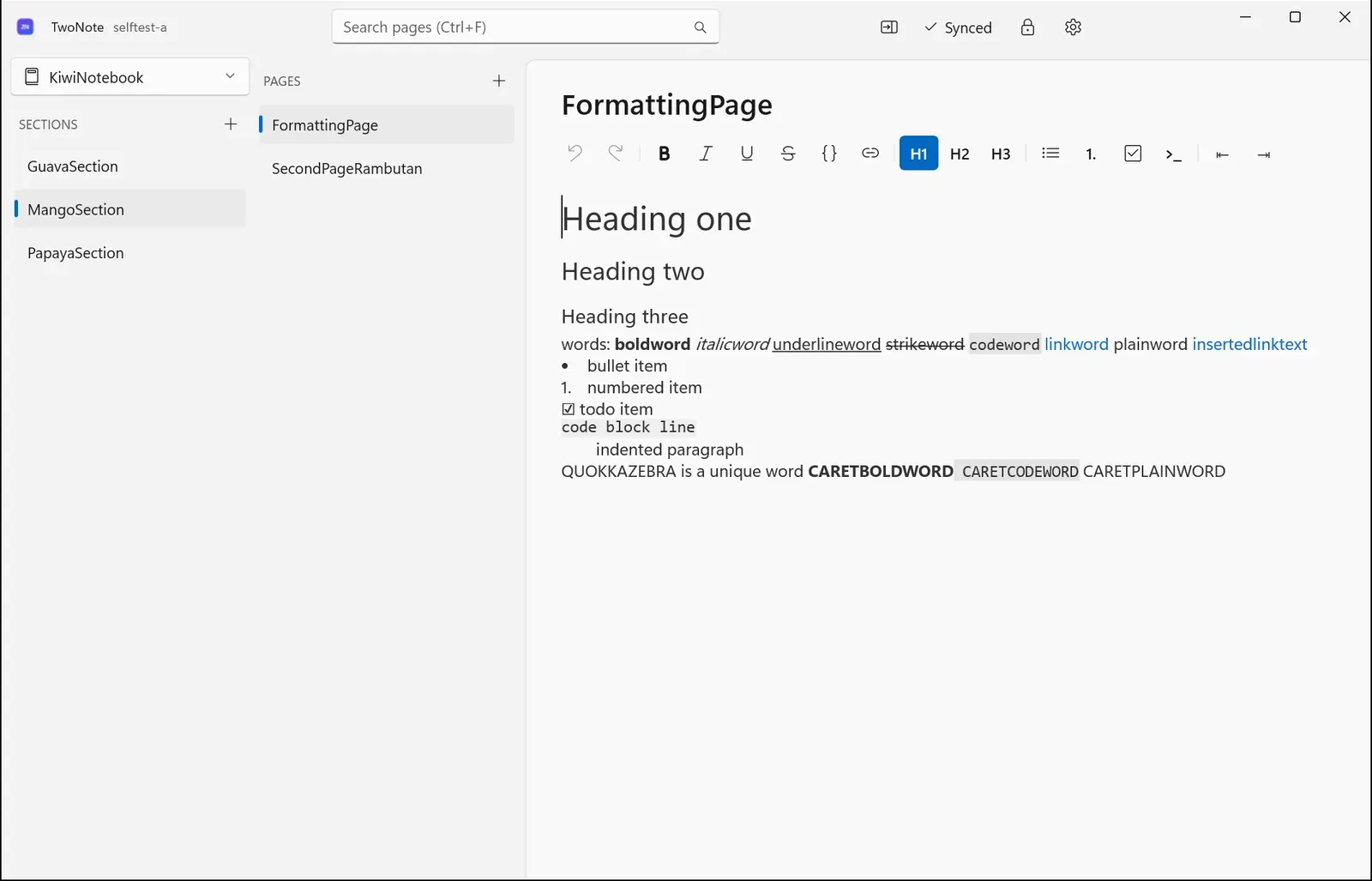
Image: TwoNote
What works the same as OneNote
- A notebook picker at the top left, then a Sections column and a Pages column beside it.
- Pages with a big title and a formatting bar: bold, italic, underline, headings, lists and to-dos.
- Search, light and dark themes, zoom and a sidebar you can hide.
- It works offline, and edits made on two devices merge by themselves.
What is missing
- It is early software, for a single user.
- There is no installer and no automatic updates; the iOS and Mac apps must be built from source.
- Its encryption has not been independently audited.
- There is no recovery: lose your master password and every copy of the Secret Key, and nobody can read your notes.
How to get started
- Set up the server first. It runs as one Docker container.
- Install the .NET 10 SDK on Windows 11, then prepare the app yourself with the dotnet publish command from the project page.
- Run TwoNote.exe, enter the server address and create the account.
- On other PCs, choose Add this device and enter your password and Secret Key.
Compatible files
OneNote projects Not tested yet