NoteCraft
Clone of OneNote
Free clean-room note-taking app that works like OneNote: colored notebooks, sections and pages, a ribbon, tags and to-do boxes, with notes saved as plain files.
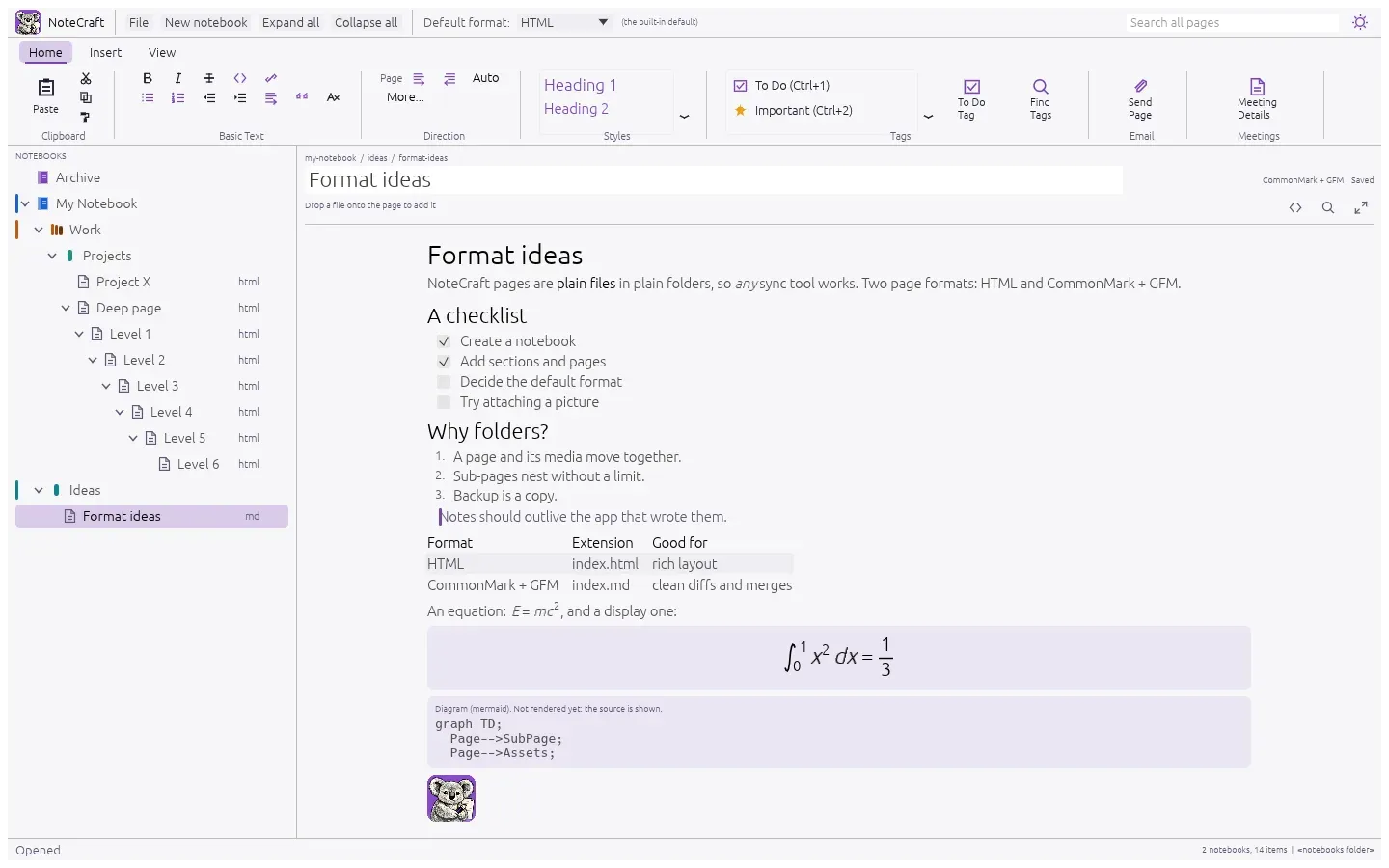
Image: NoteCraft
What works the same as OneNote
- An Office-style ribbon with Home, Insert and View tabs, and a File screen for your notebooks.
- Notebooks, section groups, sections and pages in a tree, each notebook and section in its own color.
- Tags like To Do, Important, Question and Idea, drawn as the marks you know.
- Write anywhere on the page in boxes you can move, and type equations.
- Search across every page of every notebook.
What is missing
- There is no Mac version yet: macOS is untested.
- OneNote .one files import only with the notecraft-cli command, and ink and password-protected sections aren't read.
- No online notebooks.
- Text that mixes right-to-left and left-to-right languages isn't fully supported yet.
How to get started
- There's no installer yet, so it has to be built from the source code.
- Install Rust from rustup.rs.
- Download the project and run cargo run --release -p notecraft in its folder. Your notes go to Documents\NoteCraft.
Compatible files
OneNote files (.one) According to the project