OxyBrush
Clone of ZBrush
Open-source sculpting app for Windows, Mac and Linux, with a window laid out in a way similar to ZBrush's.
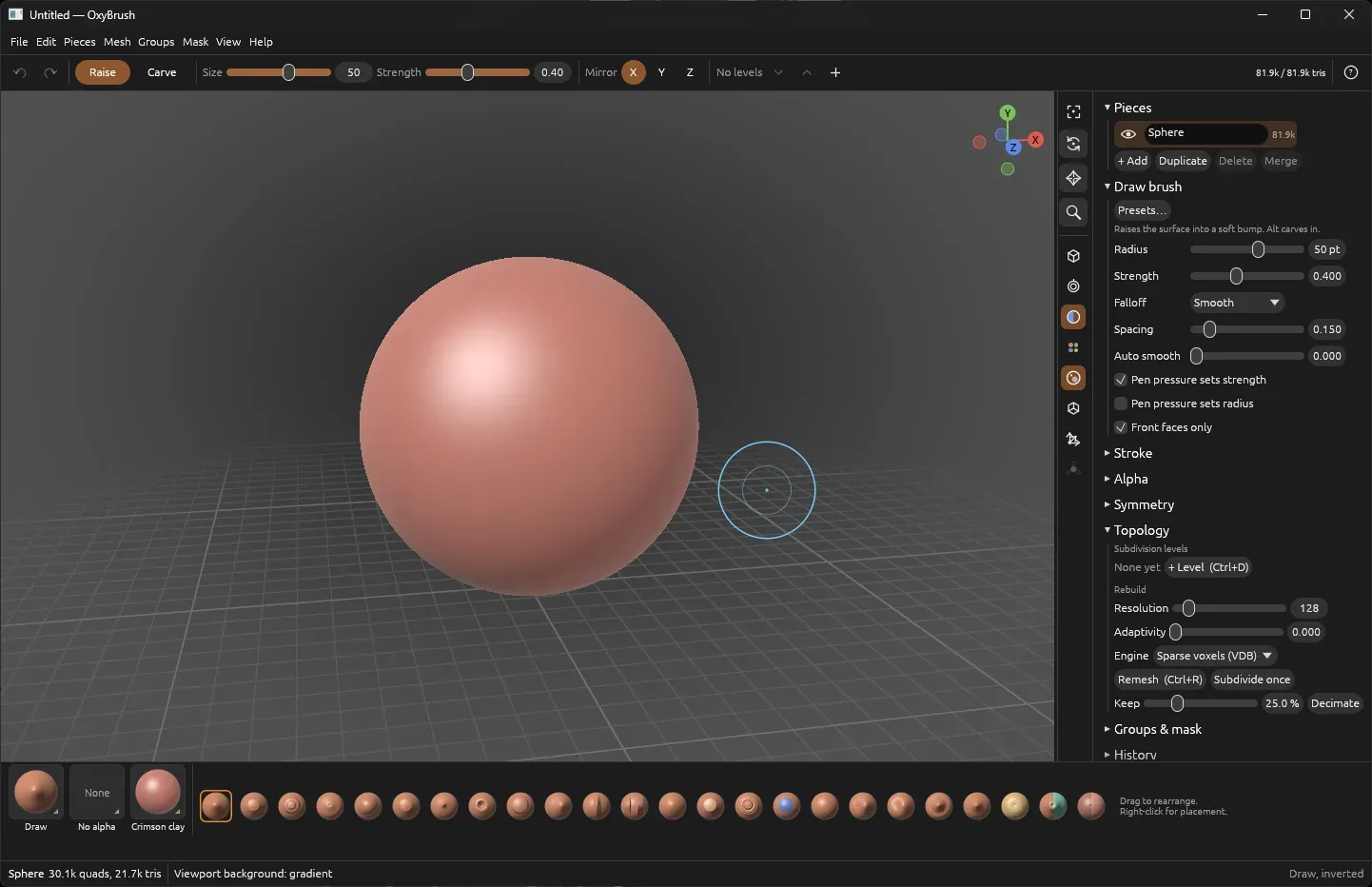
Image: OxyBrush
What works the same as ZBrush
- A shelf of 19 brushes plus 8 tools, with a toolbar for Raise/Carve, size and strength.
- A settings panel and a strip of view buttons beside the model.
- Pieces: several parts in one scene, with add, duplicate, rename, show/hide and solo.
- Opens ZBrush .ztl and .zpr models.
- Sculpt by dragging on the model, with Shift to smooth, Ctrl to mask and Alt to invert.
What is missing
- It is a beta: testers are still wanted.
- The installers are not signed yet, so Windows and Mac warn you the first time.
How to get started
- Open the project's versions page and get the newest version.
- Pick the file for your system: the setup file for Windows, the .dmg for Mac, or the .flatpak for Linux.
- If Windows shows a warning, choose More info and then Run anyway. On a Mac, open System Settings > Privacy & Security and click Open Anyway.
- Drag on the model with the left mouse button to sculpt, and hold Alt to invert.
Compatible files
ZBrush projects Not tested yet