UvCraft
Clone of RizomUV
Free open source UV editor: cut seams, unwrap, relax and pack islands in 3D and UV views, and send the UVs back to Blender.
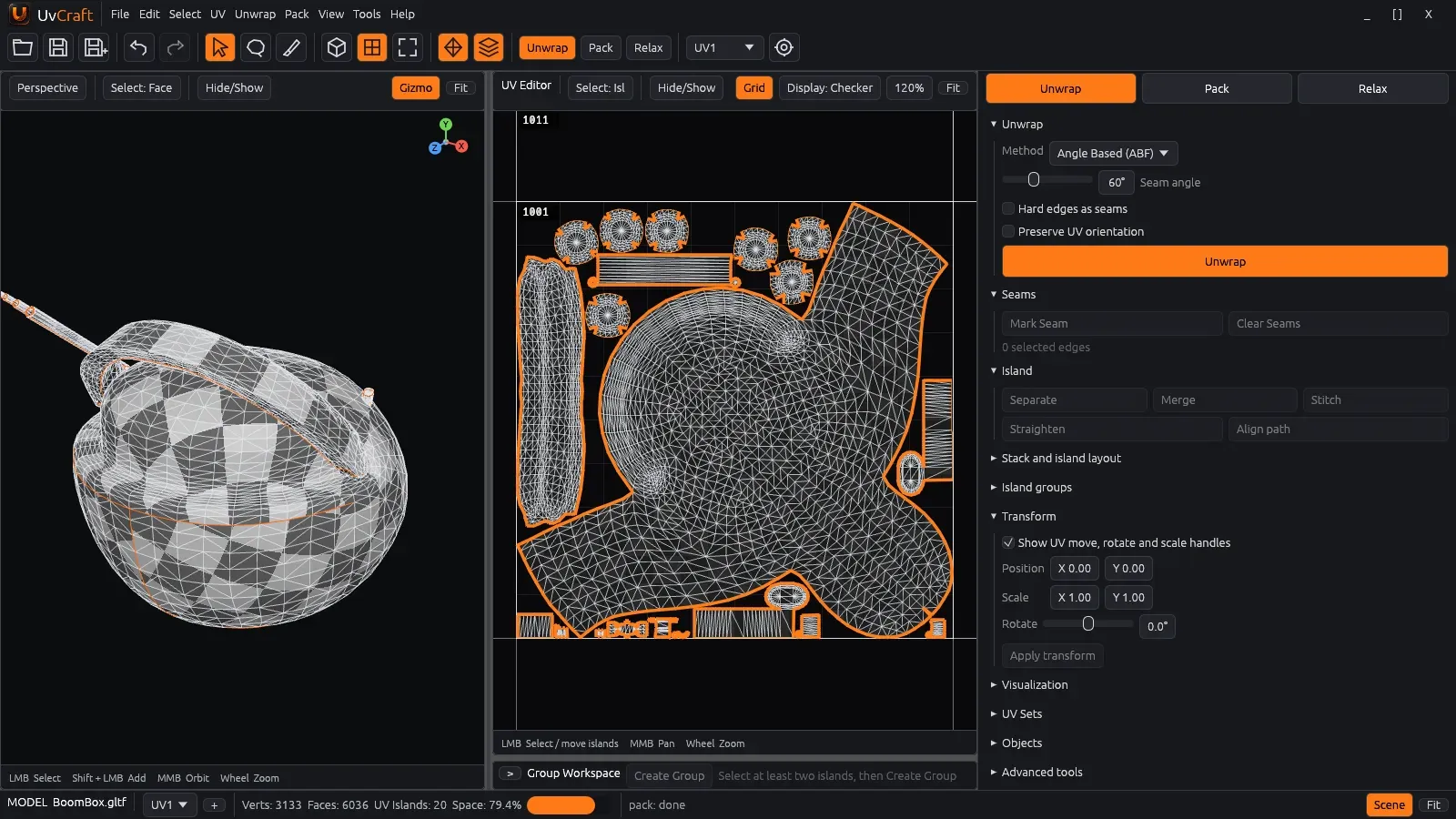
Image: UvCraft
What works the same as RizomUV
- A 3D view on the left, the UV editor in the middle and a tool panel on the right, under a menu bar from File to Help.
- Unwrap, Pack and Relax in the tool panel, with Seams, Island and Transform sections.
- Mark seams, unwrap with ABF or LSCM, relax with SLIM or ARAP, and pack the islands keeping groups and stacks together.
- Checker, texture, distortion, flipped UV, overlap and texel density views in the UV editor.
- It opens OBJ, glTF, GLB and FBX meshes.
What is missing
- The Blender link is manual: you choose when to send a mesh and when to receive its UVs.
- The Blender link does not evaluate modifiers, so apply object transforms first.
How to get started
- Click Download and pick the file for your computer: the .zip for Windows or the .tar.gz for Linux.
- On Windows, unzip the file and run uvcraft-app.exe.
- On Linux, unpack the .tar.gz file and run ./uvcraft-app.
- To open a model, use File, then Open, or drag it onto the window.
Compatible files
RizomUV projects Not tested yet