TelaEdit
Clone of HomeSite
Free HTML editor for Linux in the spirit of HomeSite: tag tabs, a file explorer, snippets and one-click previews in your browsers.
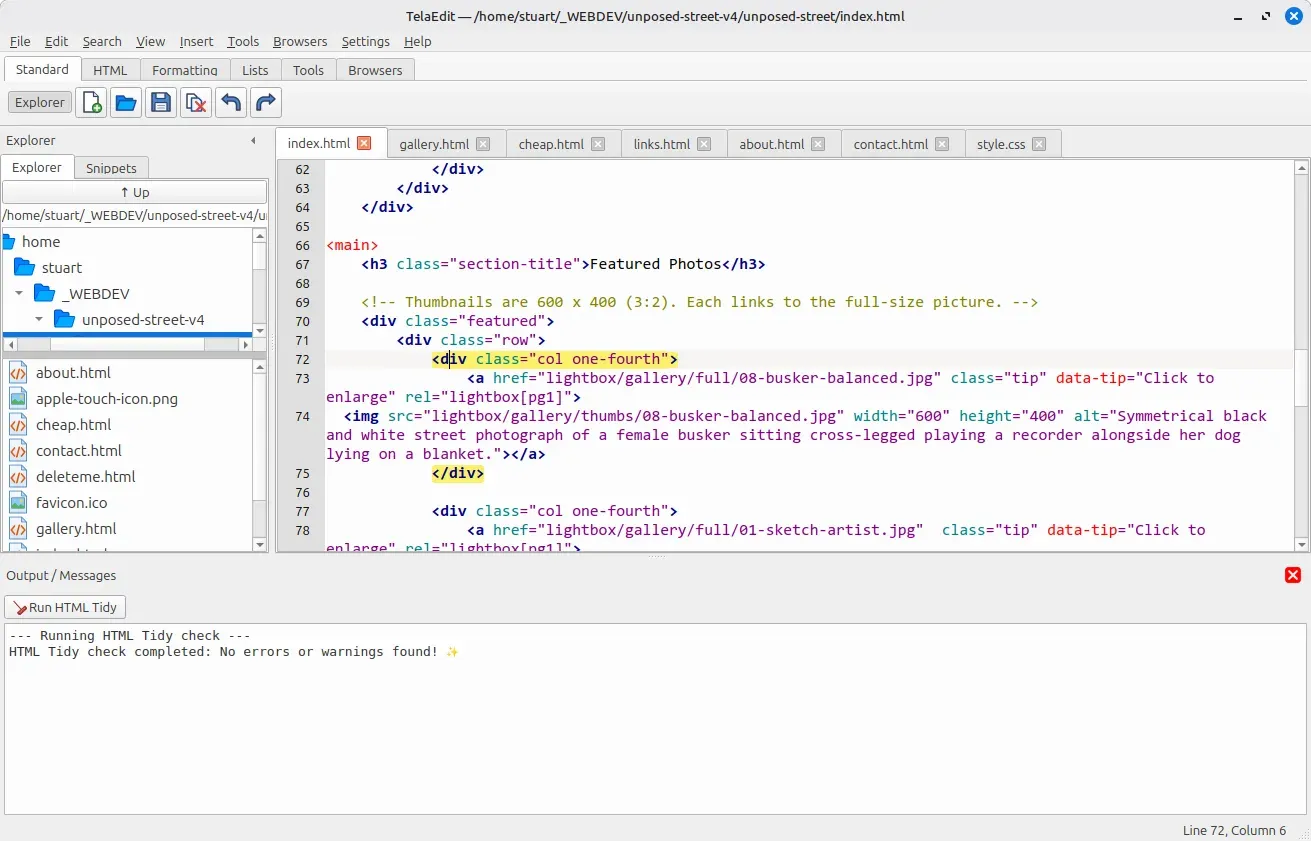
Image: TelaEdit
What works the same as HomeSite
- Menus across the top, with tabs of tag buttons below them: Standard, HTML, Formatting, Lists, Tools and Browsers.
- An Explorer panel on the left, with your folders above and the files of the chosen folder below, and a Snippets tab beside it.
- An output panel at the bottom that shows the HTML Tidy report. Click a message to jump to its line.
- A Quickbar where you keep your favorite buttons, and an Insert menu for common tags.
- Open the page you are editing in up to ten browsers.
What is missing
- It runs on Linux only.
- Spell checking covers HTML and text files, not CSS or JavaScript.
- Check CSS is a quick check, not a full validator.
How to get started
- Click Download to open the versions page and get the tar.gz file.
- Extract it, open a terminal in the extracted folder and run ./install.sh.
- TelaEdit appears in your applications menu. You do not need to install Python or Qt.
- Press F1 inside TelaEdit at any time to open the built-in help.
Compatible files
HomeSite projects Not tested yet