Suhina
Clone of Ableton Live
Free clean-room music studio that works like Ableton Live: launch clips in Session view, arrange them in a timeline, and open your Live Sets.
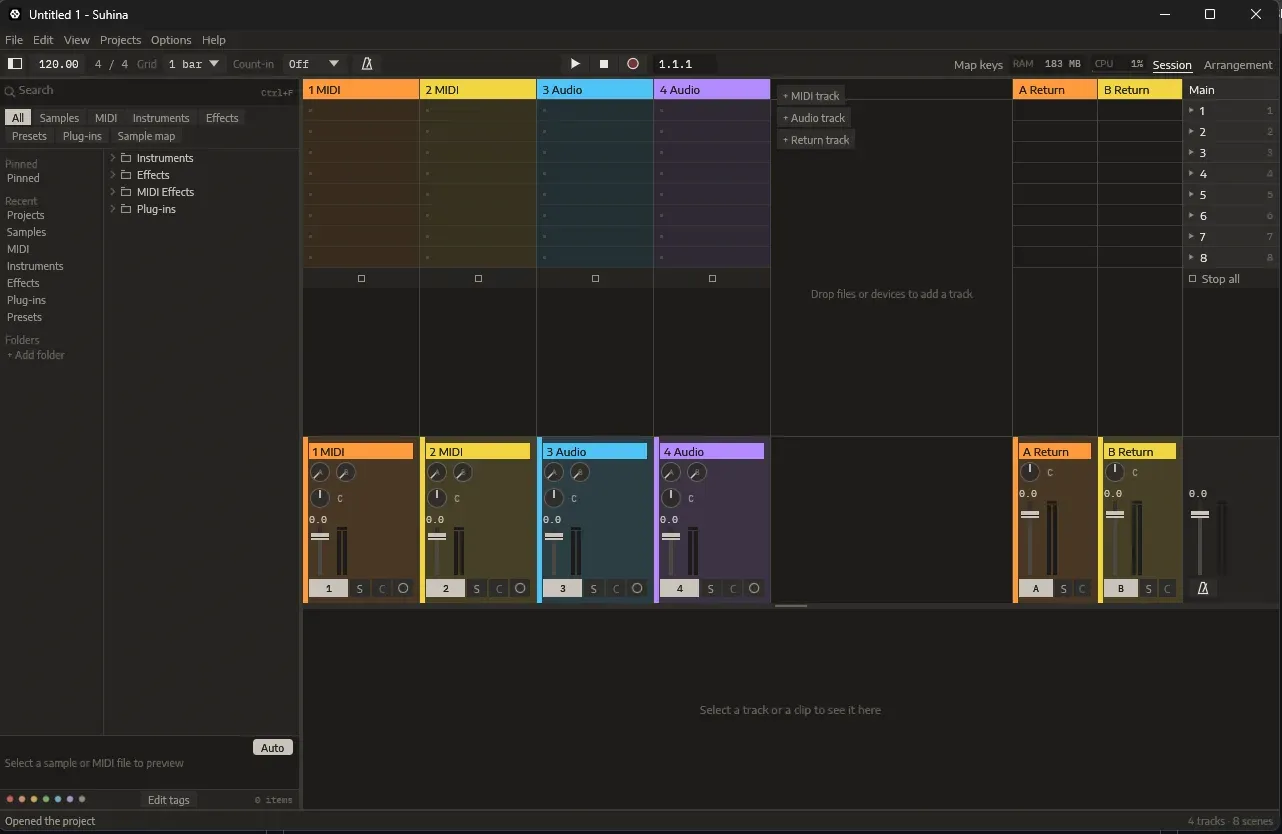
Image: Suhina
What works the same as Ableton Live
- Session view to launch clips and scenes with the mouse, in time with the beat, plus a linear Arrangement view.
- Find samples by how they sound, on a sample map of your library.
- Opens the Live Sets (.als files) you made yourself, then plays and renders them.
- Audio clips that stretch in real time, and MIDI played by a built-in synth.
- CLAP and VST3 plug-ins run apart from the app, so a crashing plug-in never takes the project down.
What is missing
- It is pre-alpha: expect unfinished parts and bugs.
- There is no stable version yet, only a build made every night.
- Other project formats, such as DAWproject, are planned for later.
How to get started
- Click Download and choose the nightly file for your system: a zip for Windows, or a tar.gz for Mac or Linux.
- Unpack it and keep the app, suhina, and suhina-plugin-host in the same folder, then open suhina.
- The files are not signed, so Windows or macOS shows a warning before running them.
- On Linux, you also need the ALSA sound library (libasound2).
Compatible files
Ableton Live files (.als) According to the project