StatCraft (kobaltgit)
Clone of IBM SPSS Statistics
Open-source statistics program in pure Safe Rust, a clean-room take on IBM SPSS Statistics with Data View, Variable View and an Output Viewer.
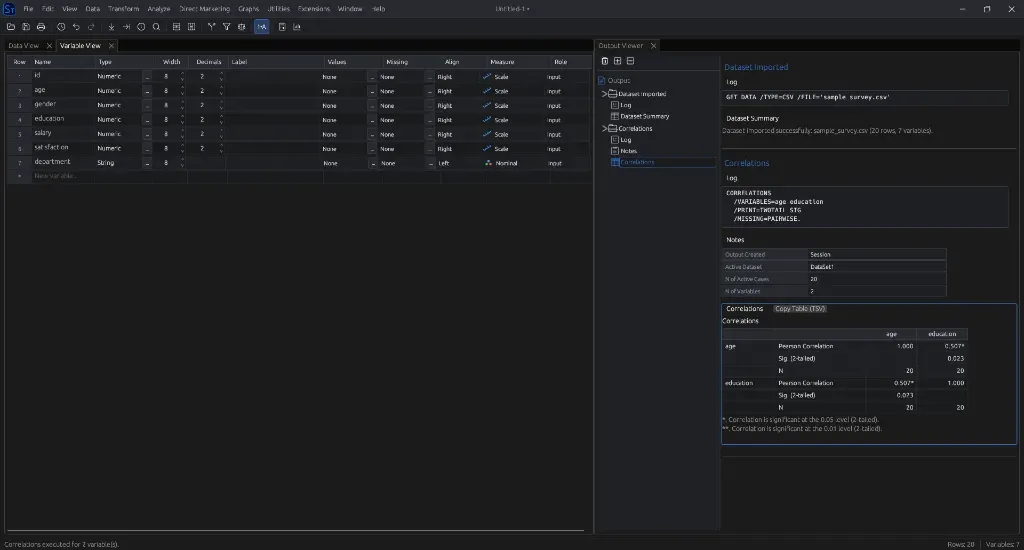
Image: StatCraft (kobaltgit)
What works the same as IBM SPSS Statistics
- Menus File, Edit, View, Data, Transform, Analyze, Direct Marketing, Graphs, Utilities, Extensions, Window and Help, with Data View and Variable View tabs.
- An Output Viewer with an outline tree and pivot tables, and results you can copy to Excel.
- Opens SPSS data files (.sav and .zsav) next to CSV and Excel files.
- Every action is also written as SPSS syntax (.sps), and you can run syntax scripts.
- Procedures such as frequencies and t-tests, with SPSS-style pivot tables.
What is missing
- Not every SPSS command is done: the project tracks them in a parity checklist.
How to get started
- Download the Windows installer (statcraft-windows-x64-installer.exe) from the latest release. Mac and Linux packages are there too.
- Run the installer and open StatCraft.
- Import a CSV or Excel file, or open an SPSS .sav file, then pick a procedure from the Analyze menu. Results appear in the Output Viewer.
Compatible files
IBM SPSS Statistics files (.sav) According to the project