Screenshots
Clone of CleanShot X
Free Mac app to capture an area, window or scrolling page, record the screen, then annotate, pin or drag the result.
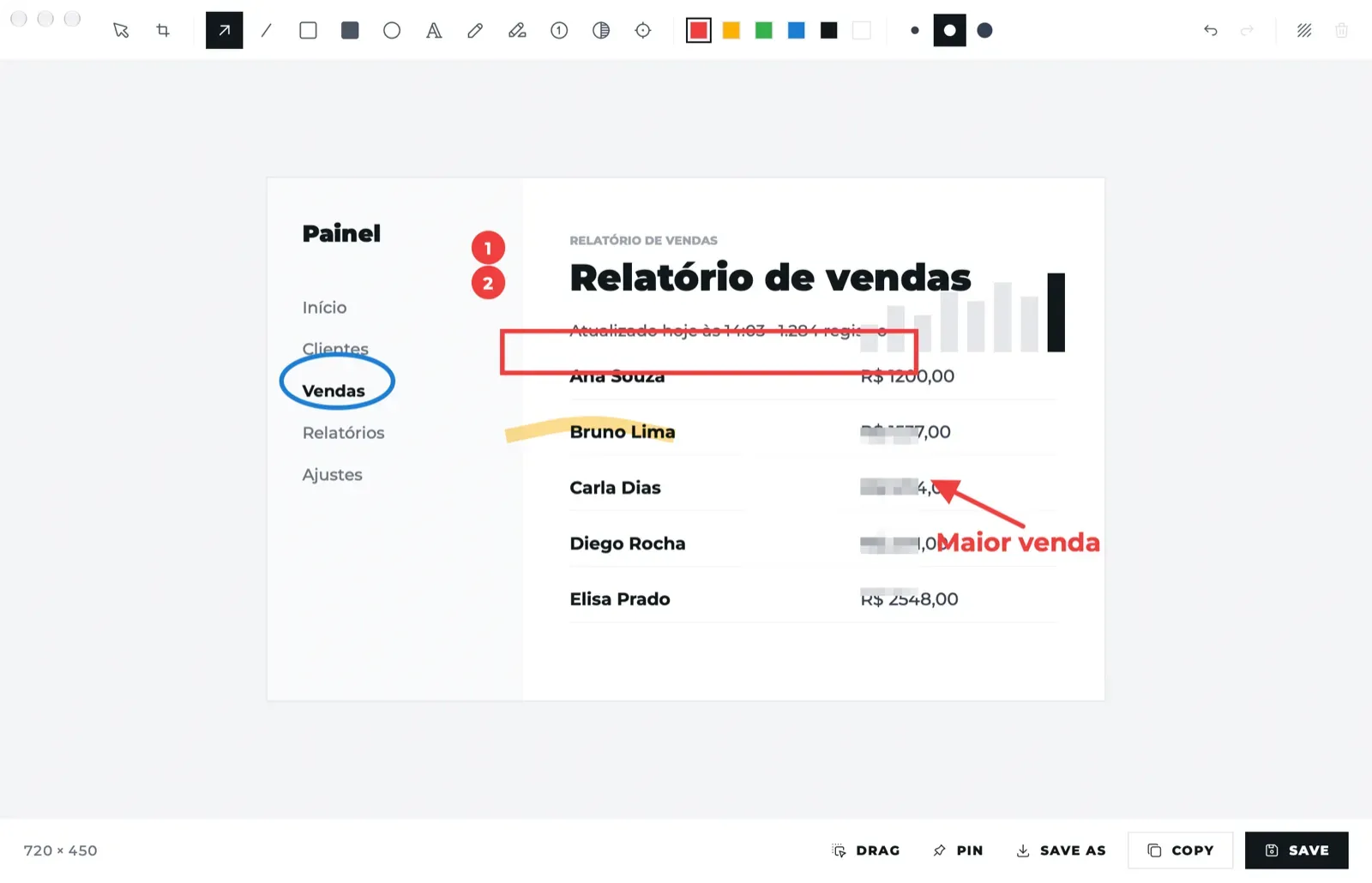
Image: Screenshots
What works the same as CleanShot X
- Captures an area, a window, the full screen or a long scrolling page.
- Records the screen as MP4 or GIF.
- An annotation editor with arrow, text, counter, highlighter, blur and spotlight.
- A thumbnail in the corner lets you copy, save, annotate, pin or drag the capture.
- Pulls the text out of an image.
What is missing
- It works only on Apple Silicon Macs with macOS 14 or newer.
- No cloud upload or share links, no webcam overlay, no video trimming and no dark mode.
How to get started
- Click Download to get the disk image.
- Open it and drag Screenshots to Applications.
- On the first run, allow Screenshots under Privacy & Security, Screen & System Audio Recording.
Compatible files
CleanShot X projects Not tested yet