RustGIS
Clone of ArcGIS Pro
Free mapping and GIS app with an ArcGIS Pro-style ribbon: make maps, analyze data and print layouts. On Windows, Mac, Linux or in your browser.
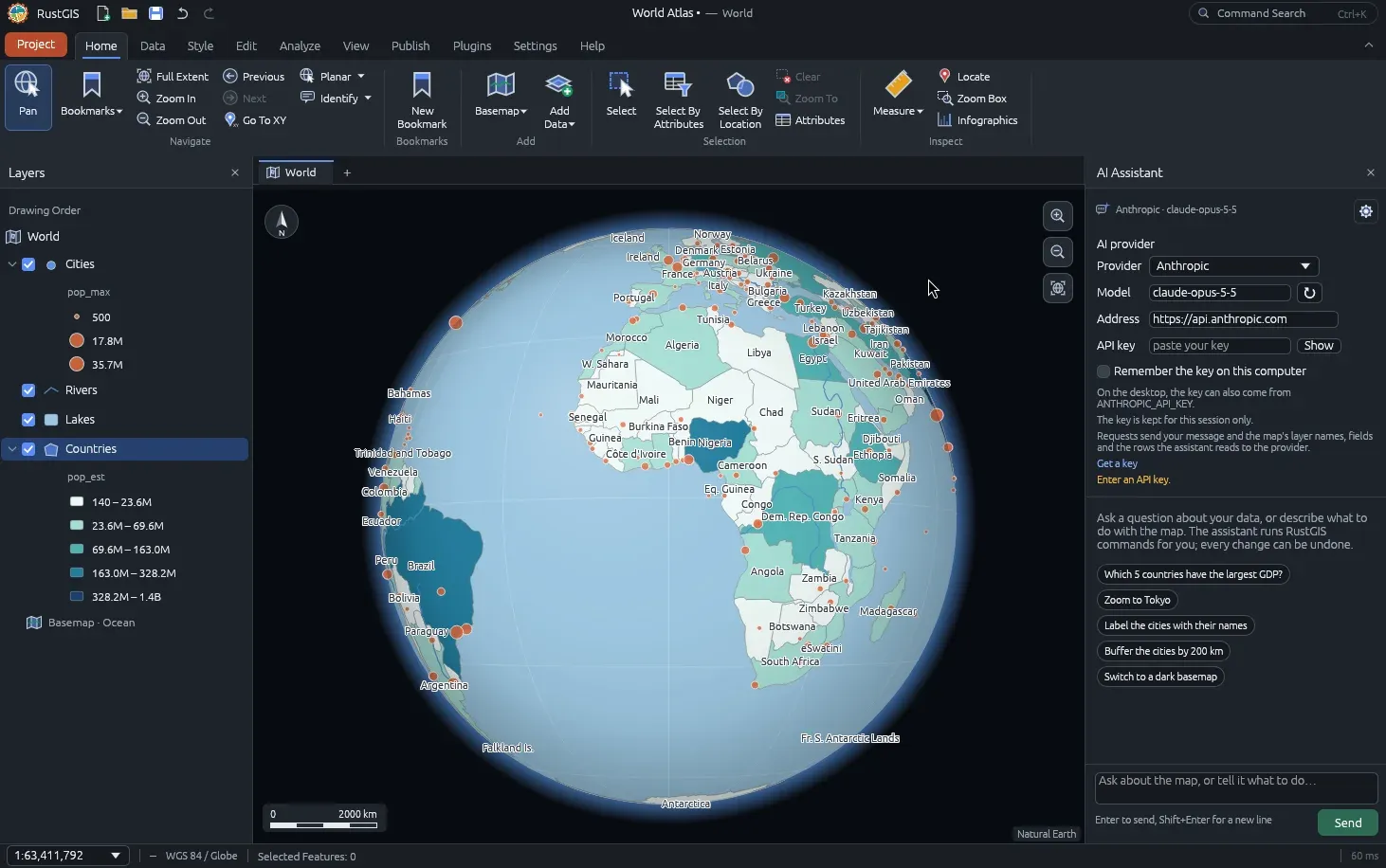
Image: RustGIS
What works the same as ArcGIS Pro
- The ArcGIS Pro layout: a ribbon with Home, Data, Style, Edit, Analyze, View and Publish tabs, and a Layers pane beside the map.
- Opens Shapefile, GeoPackage, GeoJSON, KML, CSV and GeoTIFF, and connects to ArcGIS map servers.
- Select by attributes and by location, Buffer, Clip, Dissolve, ModelBuilder and over 1,000 analysis tools.
- Page layouts with legends, scale bars and map series, exported to PDF.
- An AI assistant that answers questions about your data and changes the map for you.
What is missing
- It doesn't open ArcGIS Pro projects (.aprx): it saves its own .rgis projects.
- Some file types only open if you also install GDAL, a free extra program.
How to get started
- Click Download and pick the file for your computer: Windows, Mac or Linux.
- On Windows, the Microsoft Store is the easiest way: one click, and it keeps itself up to date.
- If you use the Windows installer and SmartScreen warns you, click "More info" and then "Run anyway".
- Or open web.rustgis.app in your browser, with nothing to install.
Compatible files
ArcGIS Pro projects Not tested yet