Picnido
Clone of Picasa
Free photo browser for macOS in the spirit of Picasa: your folders are the library, with no import and no cloud.
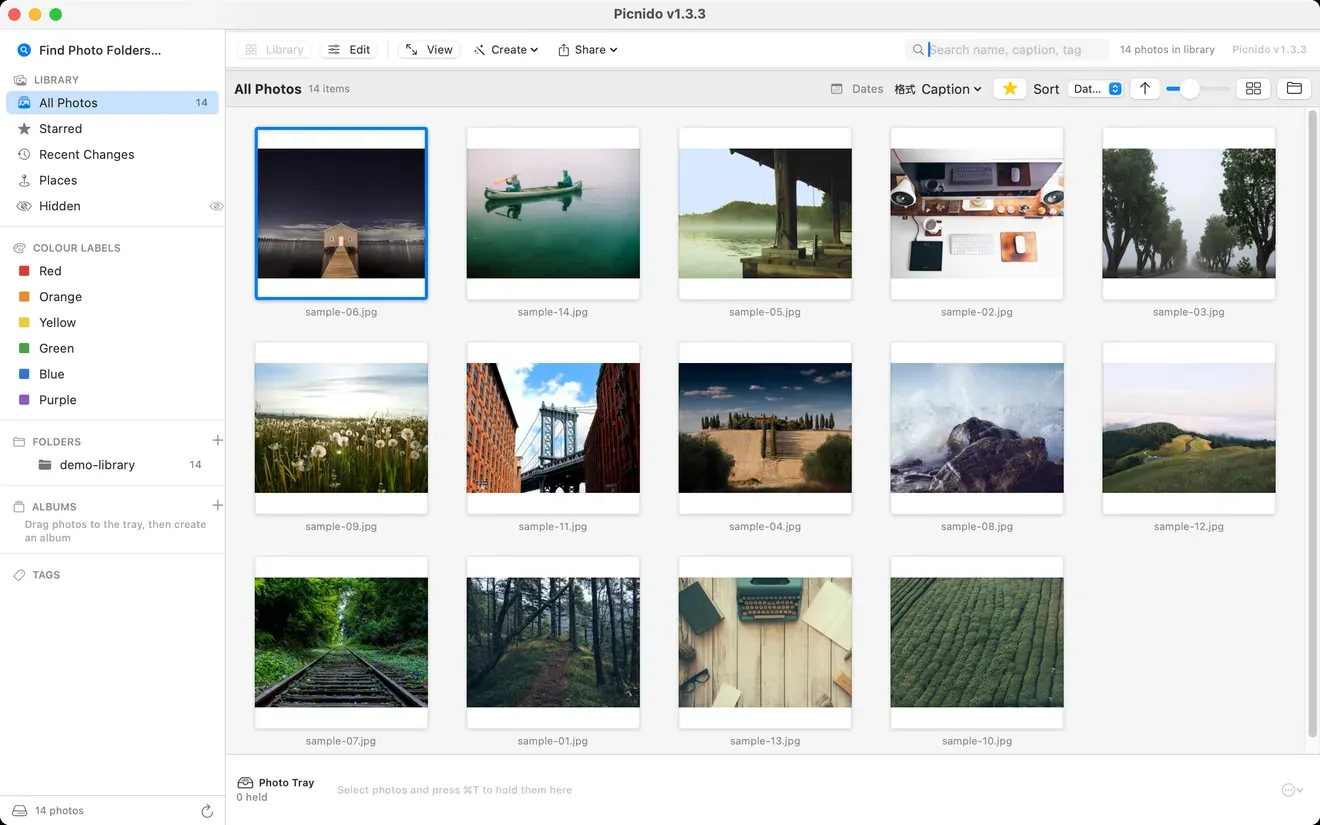
Image: Picnido
What works the same as Picasa
- A left column with Library, Colour Labels, Folders, Albums and Tags, with a plus button to add albums and tags.
- A grid of photo thumbnails with white frames, and a star filter and a size slider in the top bar.
- A Photo Tray at the bottom where you hold photos from anywhere and act on all of them at once.
- A Create menu for collages, movies, posters, frames and web galleries.
- Fix photos without changing them, with crop, straighten, fill light and a one-shot fix.
What is missing
- It has no face recognition, no map and no cloud sync, and there is no mobile app.
- It lists videos but does not play them. They open in QuickTime.
How to get started
- Click Download to open the versions page and get the zip for your Mac. It runs on macOS 14 or later only.
- Unzip it and drag Picnido.app to your Applications folder.
- The first time, macOS refuses to open it. Right-click the app, choose Open, then Open again.
- Pick the folders that hold your photos. Nothing is copied or moved.
Compatible files
Picasa projects Not tested yet