Open Stop Motion Studio
Clone of Dragonframe
Free stop-motion studio: see your camera live, capture frames, use onion skin and play them back on a timeline.
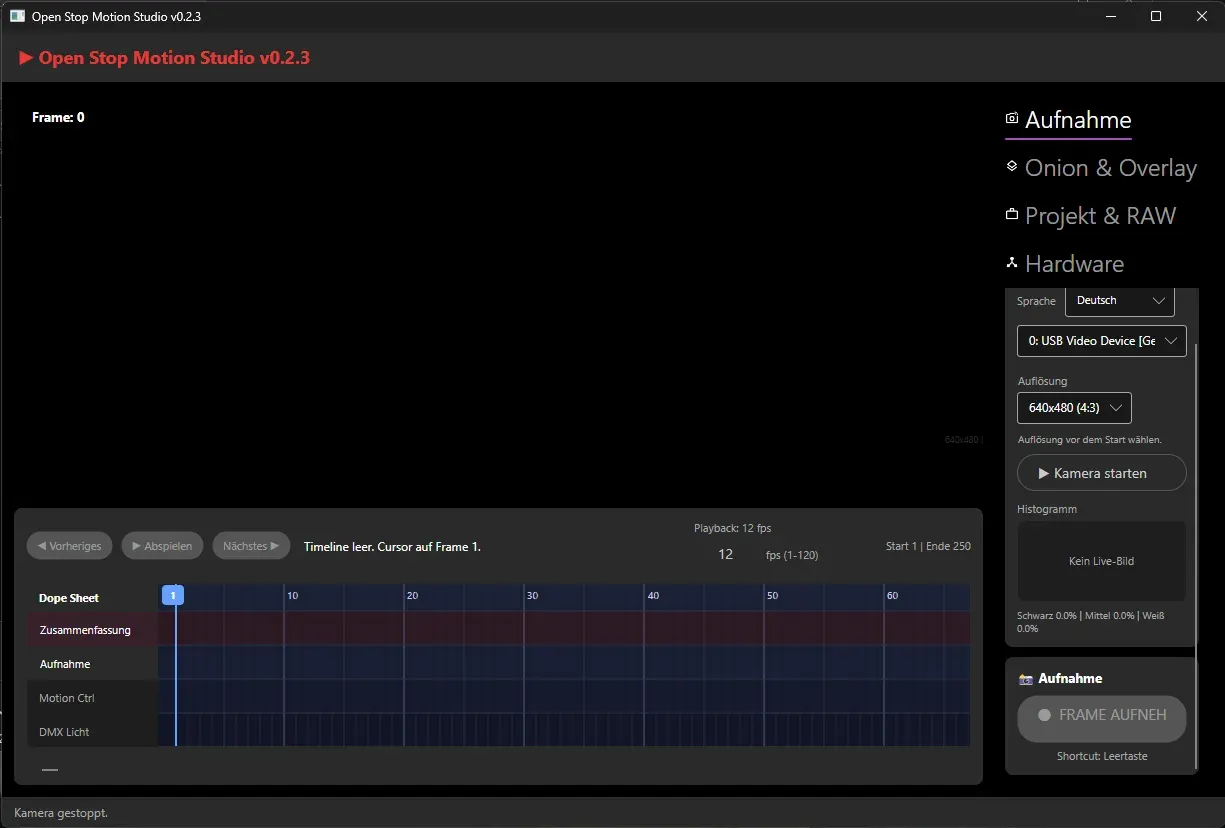
Image: Open Stop Motion Studio
What works the same as Dragonframe
- Live preview from webcams, USB cameras, capture cards and virtual cameras.
- Capture a frame with the space bar, with shots and frames named in order.
- Onion skinning with 1 to 5 layers, adjustable opacity and colour coding.
- A dope-sheet timeline, with playback from 1 to 120 frames per second and scrubbing with the mouse.
- A live histogram, reference overlays from images or video, and a loop comparison to check that the start and the end join without a jump.
What is missing
- It is an early version: not yet a full replacement for tools like Dragonframe.
- EXR output, full control of DSLR cameras, motion control and DMX lighting are planned for future releases.
- Canon, Nikon and Sony cameras need those makers' SDK files, which you add yourself.
How to get started
- Click Download and choose the file for your system: a zip for Windows, or a tar.gz for Mac or Linux.
- Unzip the file and run OpenStopMotionStudio.
- Pick your camera, start it, and press the space bar to capture a frame.
- You need a webcam, a capture card or another video source the computer can see.
Compatible files
Dragonframe projects Not tested yet