OpenDay
Clone of Google Calendar
Self-hosted calendar that looks and works like Google Calendar, with day, week, month and year views. It runs as one Docker container.
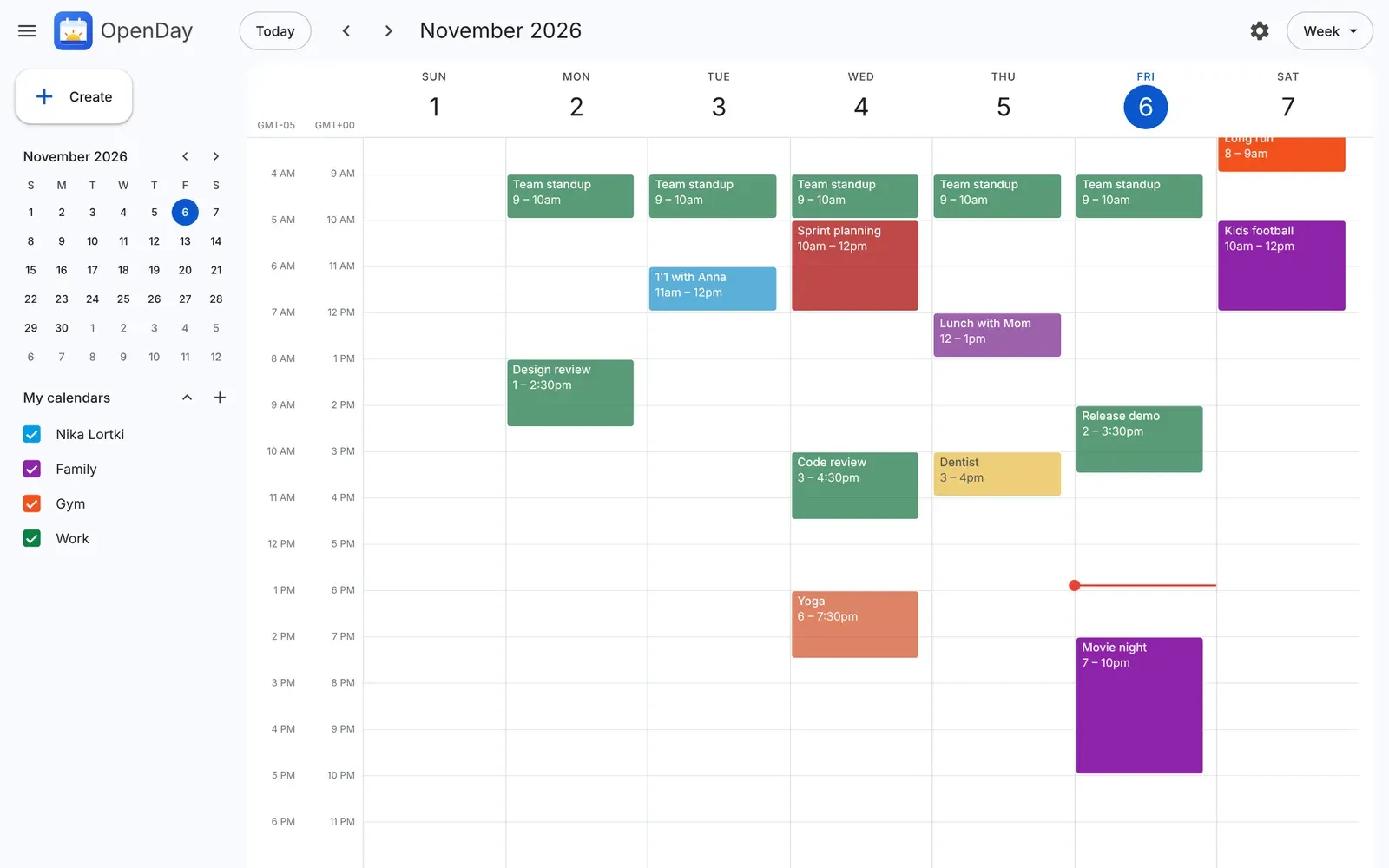
Image: OpenDay
What works the same as Google Calendar
- Day, week, month and year views.
- Click the calendar to add an event, drag to pick a time range, and drag an event to move or resize it.
- Several calendars, each with its own name and color, that you tick in the sidebar to show or hide.
- Up to 5 reminders per event, shown as desktop notifications with Snooze or as alerts in the page.
- Extra time zones as hour columns in the day and week views, and a light, dark or device theme.
What is missing
- It is in early development: many features are missing and things may change or break between updates.
- Reminders only show while the calendar is open in a browser tab or the desktop app is running.
How to get started
- There is no installer or release: you build it yourself with Docker.
- Clone the repository and run docker build in its folder.
- Start it with docker run, mapping port 8080 and a volume for your data.
- Open http://localhost:8080 in your browser.
Compatible files
Google Calendar projects Not tested yet