Magnetic
Clone of Final Cut Pro
Free Final Cut Pro-style video editor for Windows: a magnetic timeline, cutting by deleting words from the transcript, and automatic silence removal.
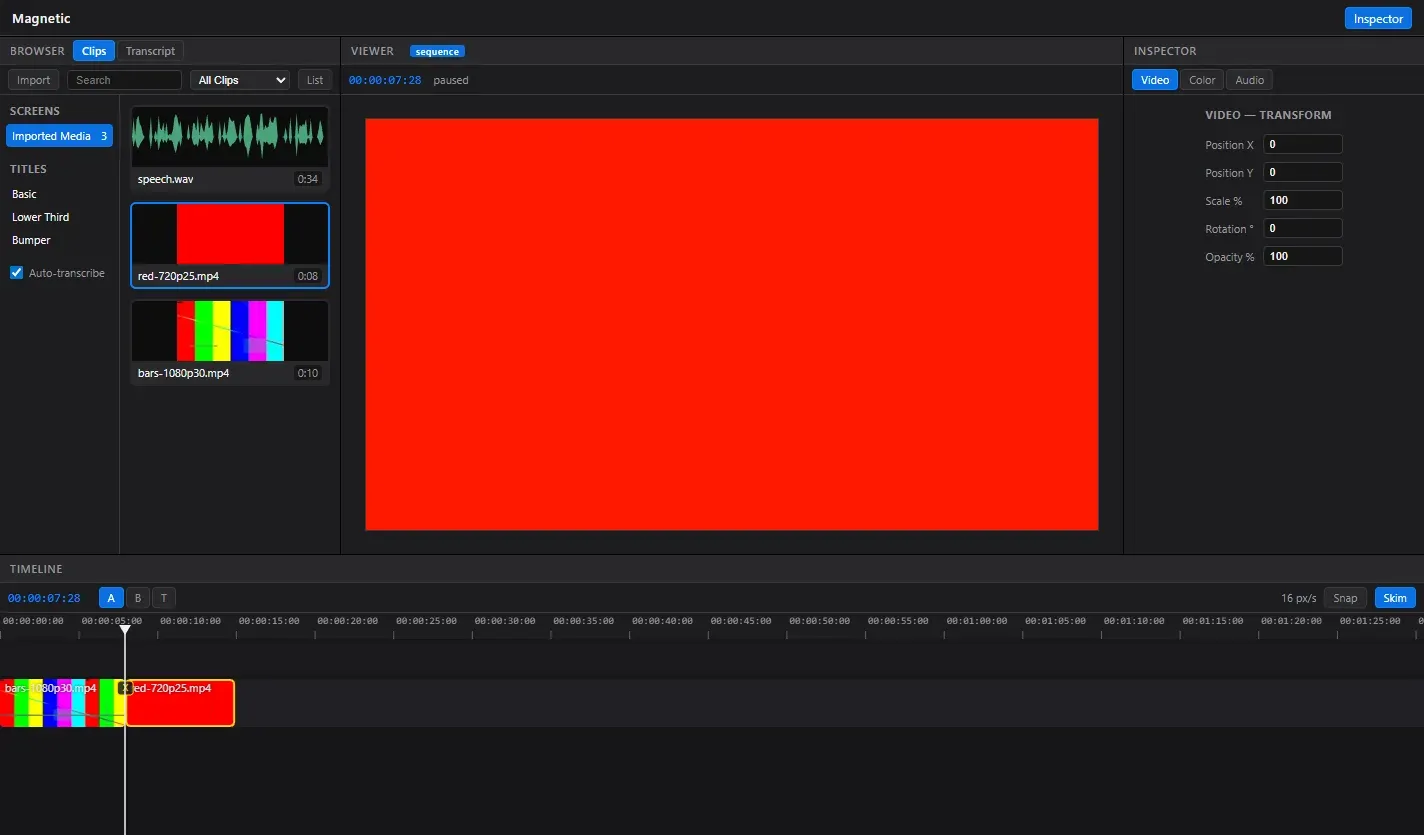
Image: Magnetic
What works the same as Final Cut Pro
- A magnetic timeline: clips never overlap, and when you cut one out the gap closes itself.
- The same keys: E to append, W to insert, Q to connect, D to overwrite, and J, K, L to play.
- Libraries, events and projects to organize your footage.
- Select, blade and trim tools, plus keyframes, transitions, titles and color controls.
- Cut video by deleting words from the transcript, and remove silences in one click.
What is missing
- No multicam, compound clips, color wheels or scopes.
- 4K video plays with dropped frames.
- It only exports MP4 videos.
- It only works on Windows 10 and 11.
How to get started
- Click Download and get the Windows installer, the file that ends in setup.exe.
- Run it. Everything it needs comes included, so nothing else downloads the first time.
- Click Import to add your clips, mark the part you want with I and O, and press E to add it to the timeline.
- Press Shift+? to see every keyboard shortcut.
Compatible files
Final Cut Pro projects Not tested yet