LocalLeaf
Clone of Overleaf
Free LaTeX editor that works like Overleaf: file tree, code editor, PDF preview and a green Recompile button, all on your own computer.
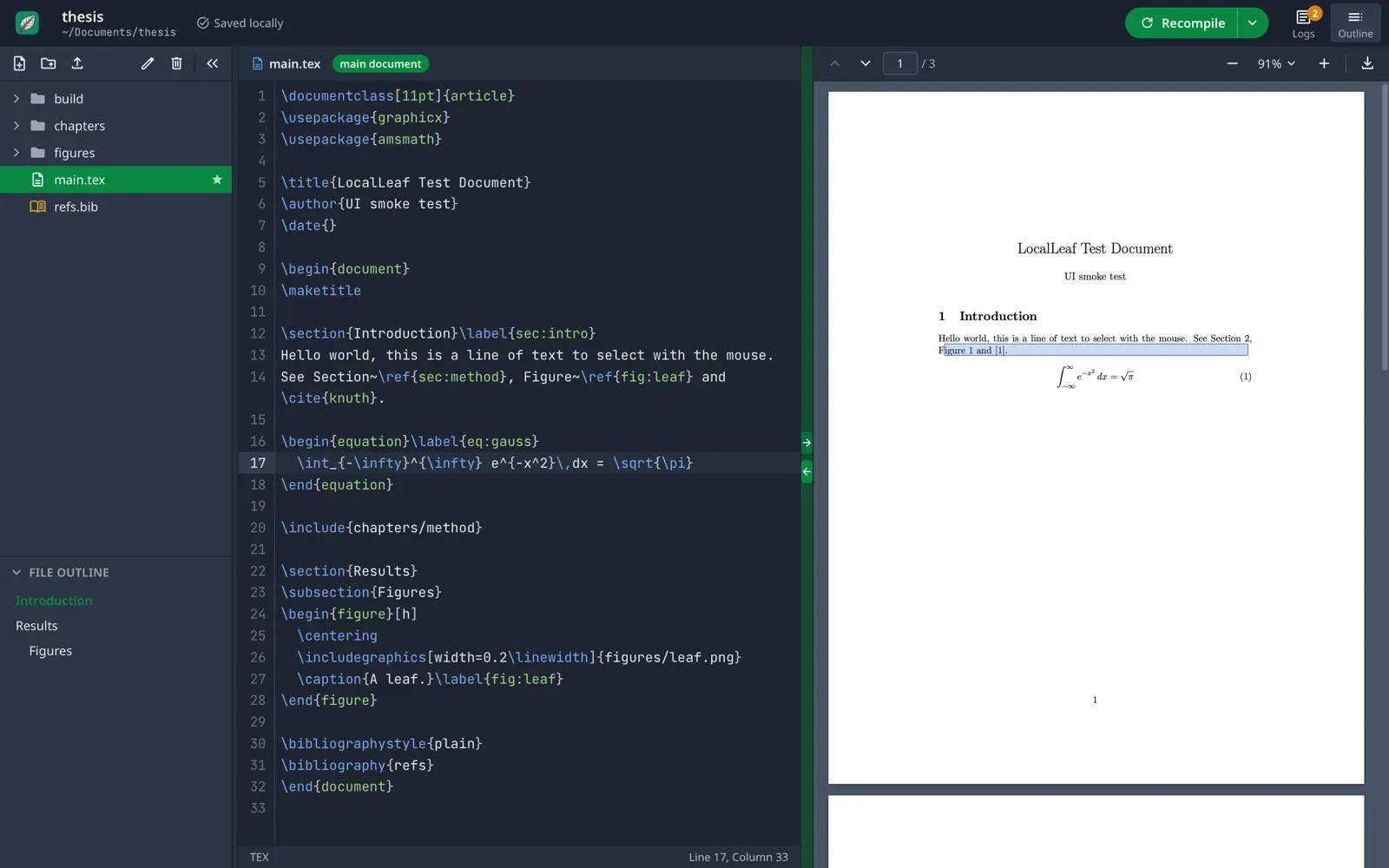
Image: LocalLeaf
What works the same as Overleaf
- The Overleaf layout: file tree and outline on the left, code editor in the middle, PDF preview on the right.
- A green Recompile button and clickable logs that open the file at the line with the error.
- Jump from your text to the same spot in the PDF and back.
- Autocompletes commands, labels and citations from your .bib files.
- Opens projects downloaded from Overleaf once you unzip them, and they compile the same way.
What is missing
- No real-time collaboration, track changes, comments or project history: it's for one person on one computer.
- No visual editor: you write the LaTeX code yourself.
- The Windows and Linux versions have had less testing than the Mac version.
How to get started
- Click Download and pick the file for your computer: Windows, Mac or Linux.
- Also install TeX, which LocalLeaf uses to make your PDF: MiKTeX or TeX Live on Windows, MacTeX on Mac.
- The first time, your computer warns you. On Windows, click "More info" and then "Run anyway". On Mac, right-click LocalLeaf and choose Open.
- Click New Project, or Open Folder for a project you already have, and press Recompile.
Compatible files
Overleaf projects Not tested yet