Kinoklip
Clone of DaVinci Resolve
Free video editor for Linux, written from scratch and laid out like DaVinci Resolve, with its pages, timeline and keyboard shortcuts.
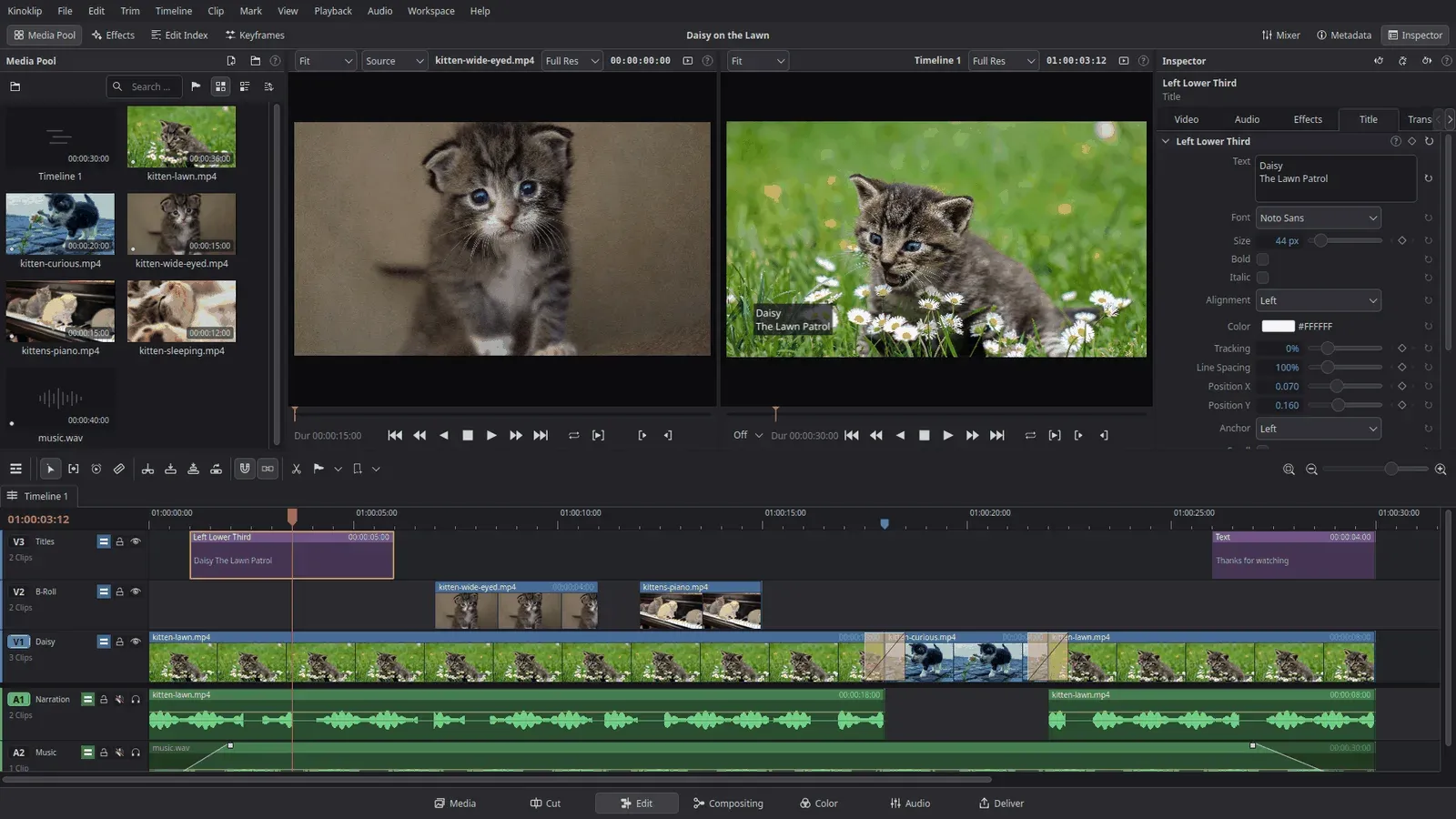
Image: Kinoklip
What works the same as DaVinci Resolve
- Page buttons along the bottom: Media, Cut, Edit, Compositing, Color, Audio and Deliver.
- An Edit page with a media pool, two viewers, an Inspector and a multi-track timeline.
- A Color page with grading wheels, nodes, a qualifier, LUTs and scopes.
- The default keyboard shortcuts of Resolve, plus presets for Vegas Pro, Premiere Pro, Final Cut Pro, Avid Media Composer, Kdenlive and Shotcut.
What is missing
- No Windows or Mac version yet.
- Recording and ADR, plugins and surround formats are not there yet.
- It cannot open DaVinci Resolve project files.
How to get started
- Open the project's releases page and download Kinoklip-x86_64.AppImage. It is one file with the whole program.
- Make the file runnable: tick Is executable in its Permissions, or open it with Gear Lever, which also keeps it updated.
- Start it and make your first project in the Project Manager.
- If it does not start, run it with --appimage-extract-and-run: your system may be missing FUSE.
Compatible files
DaVinci Resolve projects Not tested yet