GitCraft
Clone of GitKraken
Free visual git client with a commit graph, branches and worktrees on the left, and your changes and commit box on the right.
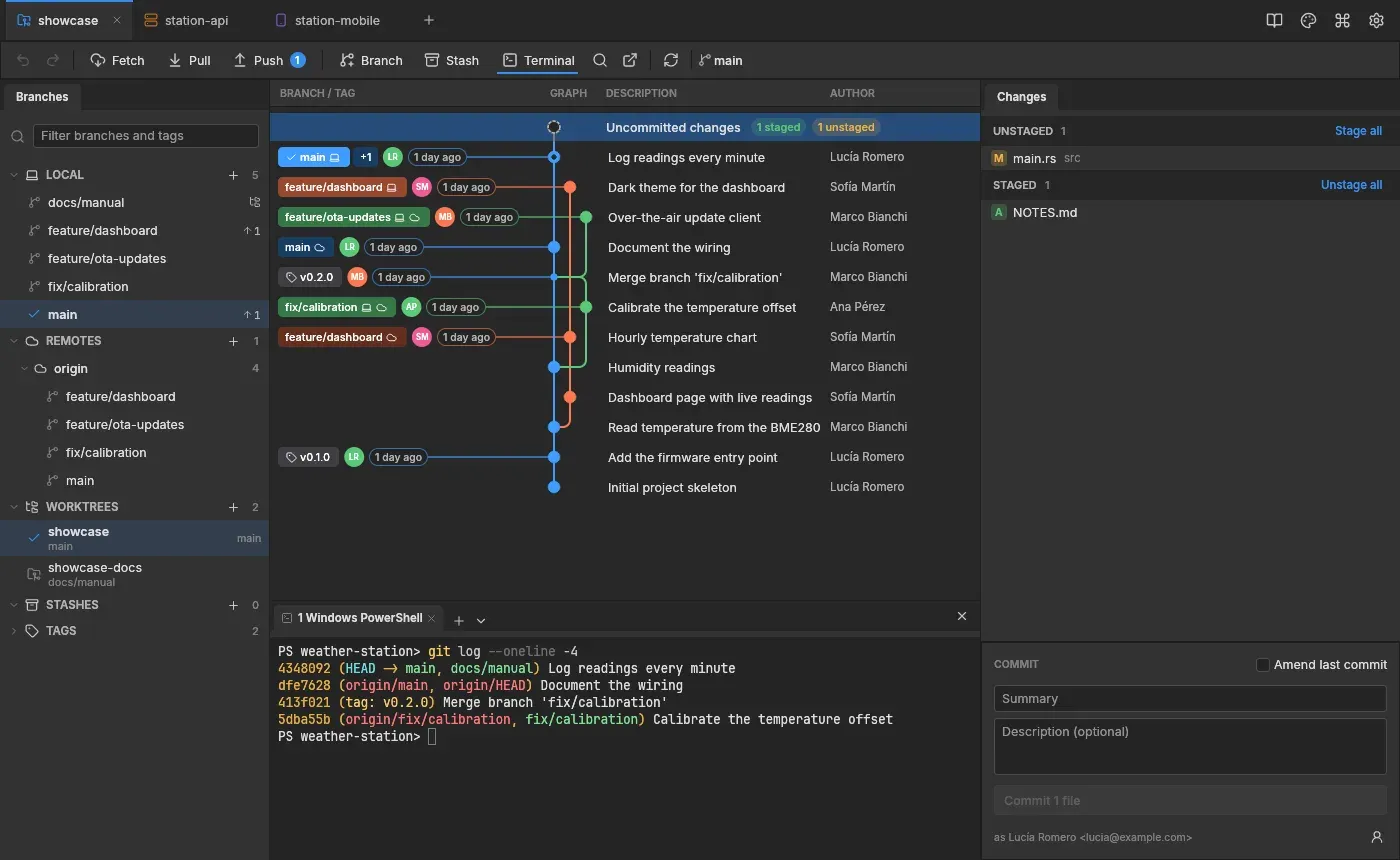
Image: GitCraft
What works the same as GitKraken
- Branches, remotes, worktrees, stashes and tags in a list on the left.
- A graph of every branch, with coloured lanes and a pill with the name of each branch.
- Your changes on the right, with a commit box and an Amend last commit option.
- Fetch, Pull, Push and Stash buttons in a toolbar, with a terminal panel below.
- Tabs for several projects, and a three-pane editor to fix conflicts.
What is missing
- The Mac app is not approved by Apple, so macOS refuses to open it the first time.
How to get started
- Click Download. It opens the project versions page.
- Pick the file for your system: the setup file for Windows, the dmg for a Mac, or a deb, rpm or AppImage for Linux.
- Install git first if you do not have it. On a Mac, open System Settings, Privacy & Security and click Open Anyway.
- Open GitCraft and open or create a project from the start page.
Compatible files
GitKraken projects Not tested yet