GazBoard
Clone of Microsoft Whiteboard
Free offline whiteboard for Windows, Linux, Android and macOS with pens, sticky notes and shapes, and no sign-in or cloud.
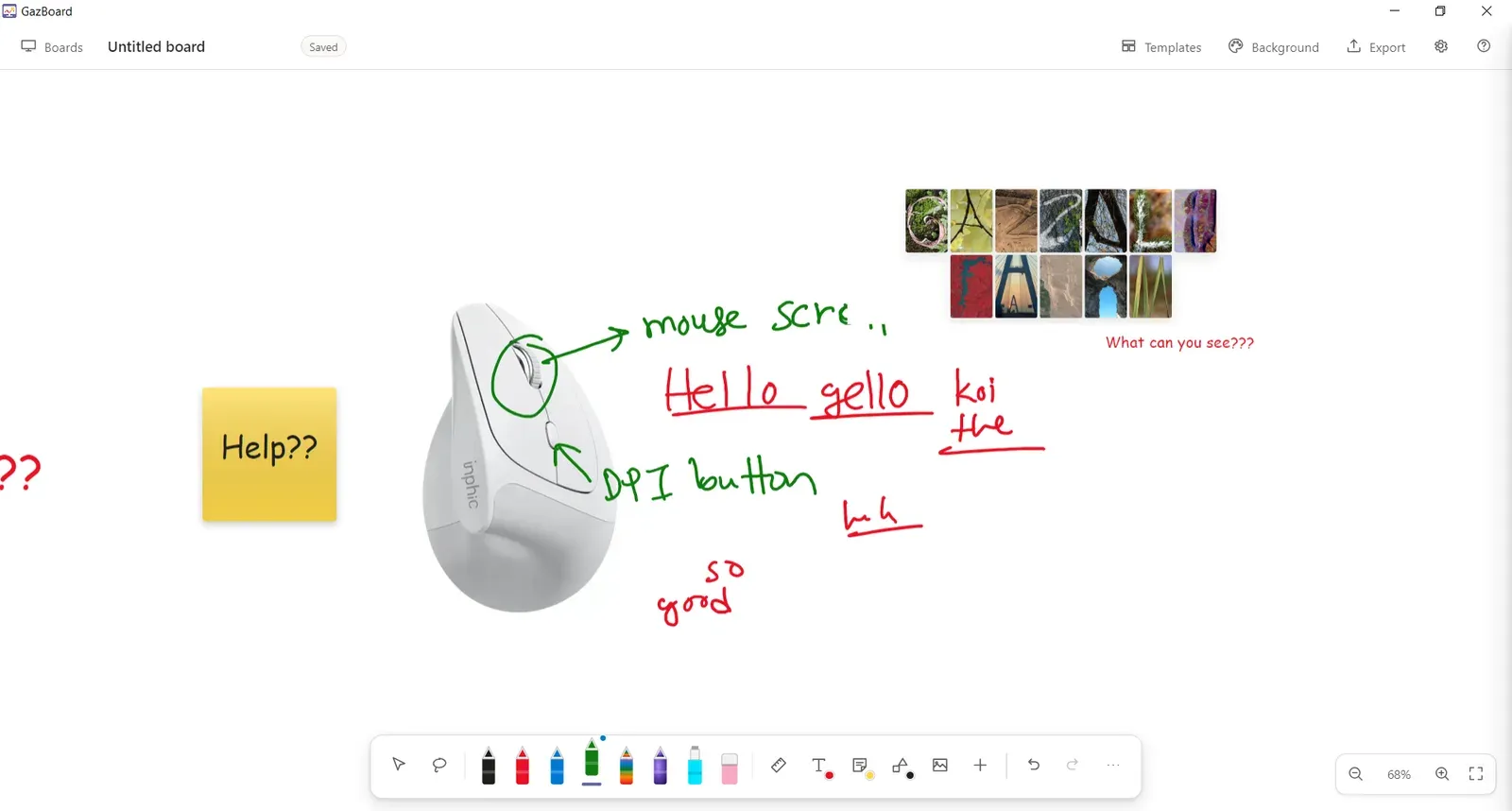
Image: GazBoard
What works the same as Microsoft Whiteboard
- A floating pen tray with pens, highlighter, eraser, lasso and ruler, over an infinite canvas.
- Pens with pressure support, a highlighter and a ruler where ink snaps to its edge.
- Sticky notes, text boxes, shapes and tables on the board.
- Built-in templates such as Brainstorm, Kanban and Mind map, and grid, dots and lines backgrounds.
- Exports the board as PNG, SVG or PDF.
What is missing
- No sign-in, cloud boards, sharing links or live co-authoring: boards stay on your device.
- The downloads aren't code-signed, so Windows and macOS warn once on first launch.
How to get started
- Open the versions page and pick the file for your system.
- On Windows, run the setup file, which needs no admin rights, or the portable file if you do not want to install.
- On Mac, open the .dmg file and drag GazBoard into Applications. Use the arm64 file for Apple Silicon.
- On Linux, run the .AppImage file, or install the .deb package on Debian and Ubuntu.
Compatible files
Microsoft Whiteboard projects Not tested yet