FormPath
Clone of Illustrator
A vector illustration app with artboards, pen tools and live effects that keeps your projects on your own computer.
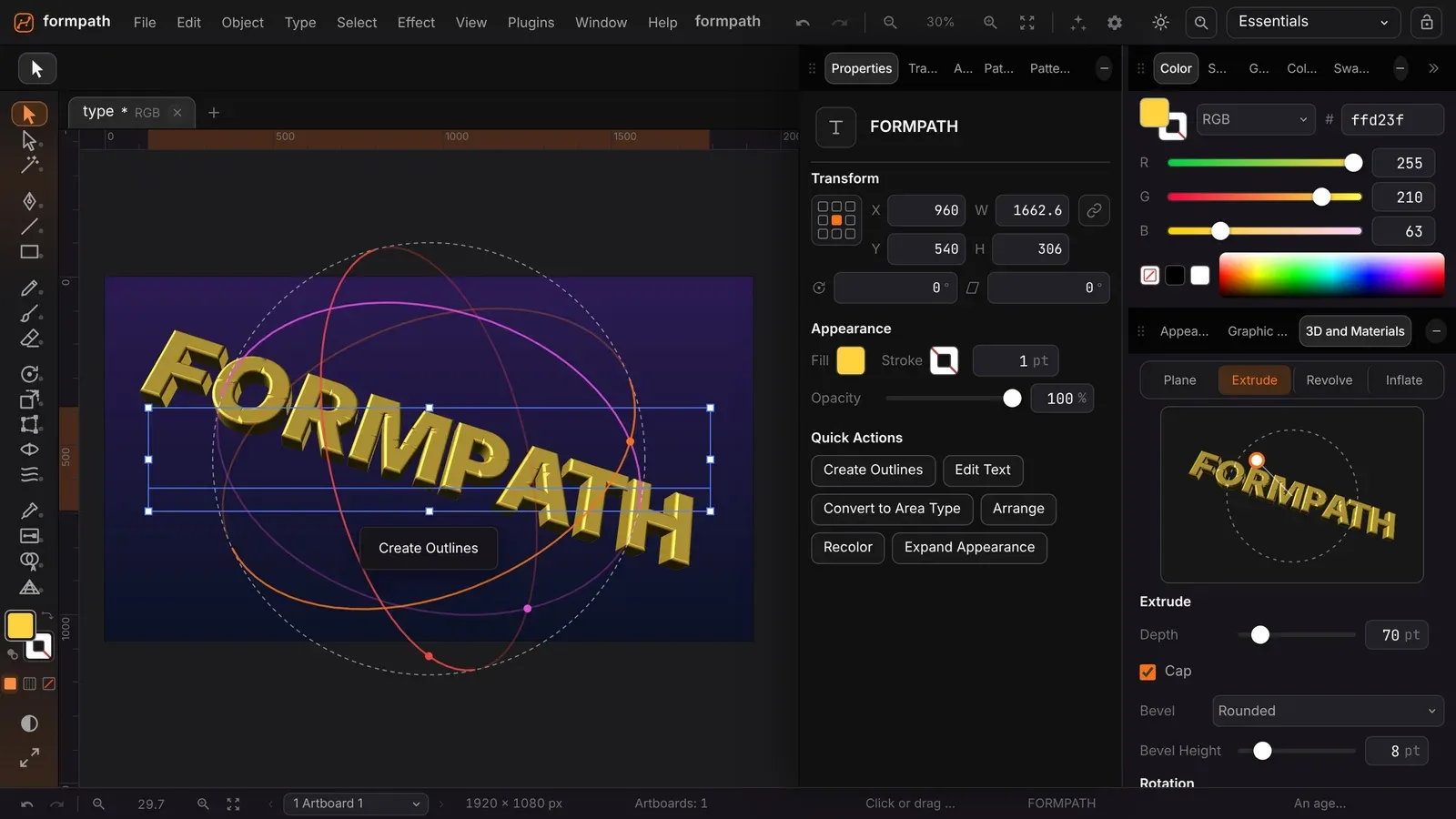
Image: FormPath
What works the same as Illustrator
- A menu bar from File to Help, a vertical tool bar on the left, and panels on the right such as Properties, Transform, Appearance and Color.
- Artboards, layers, and the Pen, Pencil, Paintbrush and Knife tools.
- Panels that follow the selection, with transform, fill, stroke and opacity settings.
- Live effects such as Warp, Pathfinder and 3D Extrude, with a 3D and Materials panel.
- Type with OpenType features, on-path type, and Create Outlines.
What is missing
- Some PDF and .ai files do not import: encrypted PDFs and some scanned images are skipped, and the app reports what it left out.
How to get started
- Pick your system on the download list: an installer for Windows, a .dmg for Mac, or an AppImage or .deb for Linux.
- To run it in a browser instead, install Node 20.19 or newer (22 recommended), Python 3.12 or newer and git.
- Get the source with git clone, then run ./formpath install and ./formpath boot. The web UI runs at localhost:5230; on Windows, use formpath.bat instead.
Compatible files
Illustrator files (.ai, .eps) According to the project