Clickwork
Clone of Logi Options+
Free app to set up Logitech MX Master mice on Linux and SteamOS: change DPI, the scroll wheel and the buttons from a settings page.
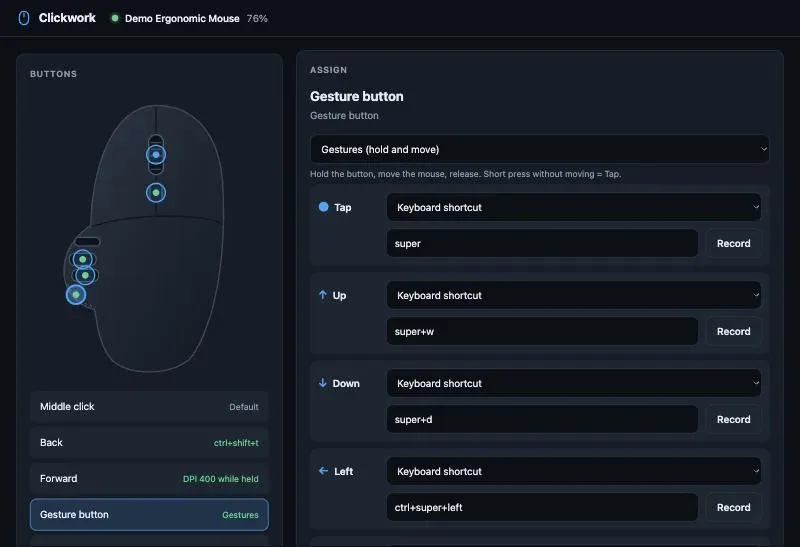
Image: Clickwork
What works the same as Logi Options+
- A picture of your mouse with a dot on each button you can change.
- Remap the middle, back, forward, gesture and wheel-mode buttons to shortcuts, commands or DPI changes.
- Hold the thumb button and move the mouse to run gestures.
- Set DPI with a slider and three presets, and switch the wheel between ratchet and free spin with SmartShift.
What is missing
- Left and right click cannot be remapped.
- It runs only on Linux and SteamOS.
How to get started
- Open a terminal (on SteamOS: Desktop Mode, then Konsole) and paste the one-line install command from the project page.
- Type your password once when asked: the installer needs it to let your user talk to the mouse.
- The settings page opens by itself; later, find Clickwork in your app menu.
- If your buttons do nothing, close Solaar or logiops first.
Compatible files
Logi Options+ projects Not tested yet