AniCraft
Clone of Animate
Free, open-source 2D animation studio in Rust, a clean-room reimplementation of Adobe Animate that opens .fla files. In early alpha.
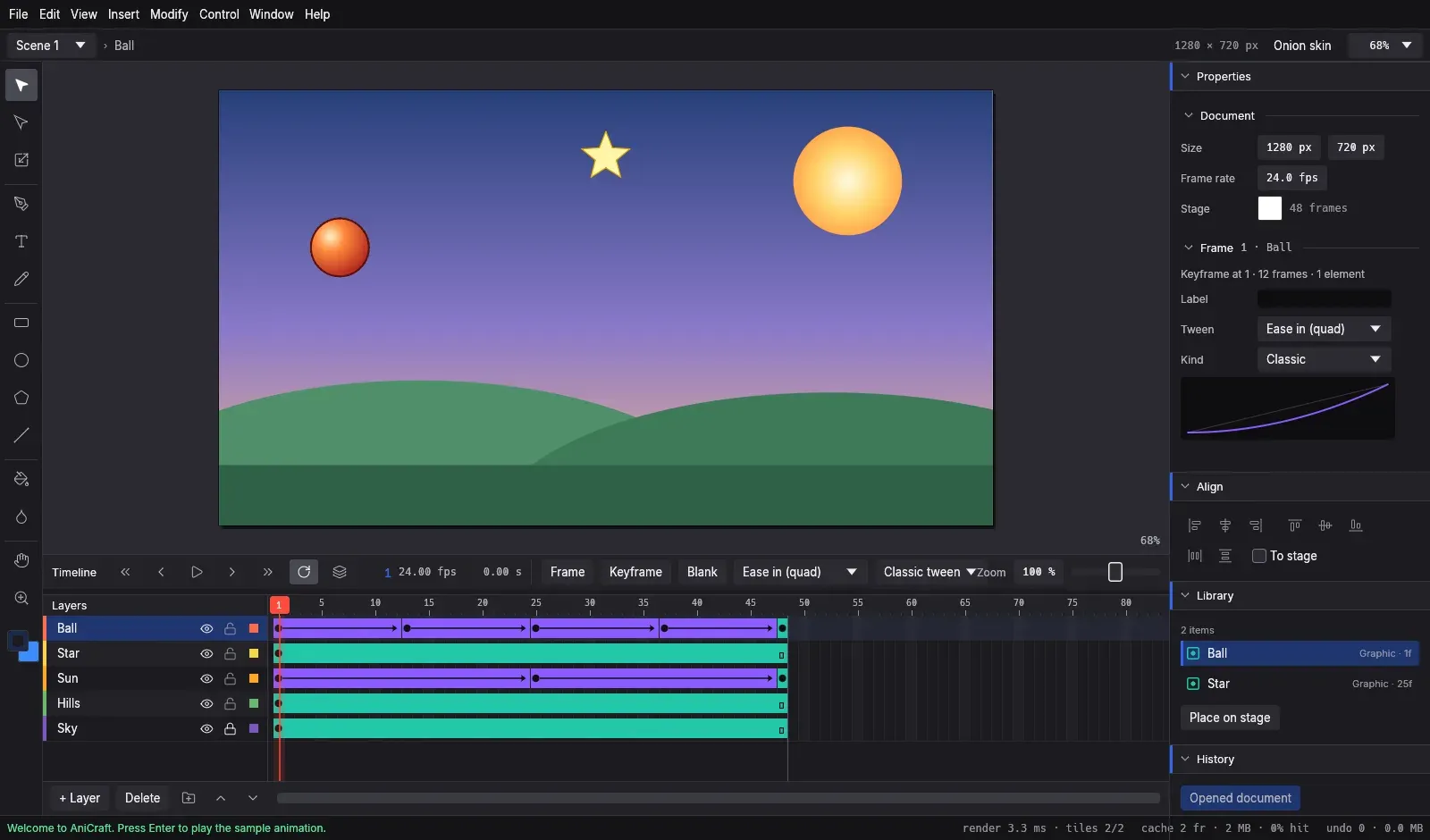
Image: AniCraft
What works the same as Animate
- Menus File, Edit, View, Insert, Modify, Control, Window and Help, tools on the left, the stage, a timeline with layers and keyframes below, and Properties and Library on the right.
- Opens Animate documents: .fla, .xfl and XFL folders.
- Classic tweens with easing and shape tweens that morph between vector shapes.
- Keyframes with F6, blank keyframes with F7, onion skinning, guide and mask layers and layer folders.
- Graphic symbols with their own timelines, movie clips, filters and blend modes.
What is missing
- It is in early alpha, not ready for production animation work.
- ActionScript works only for scripts that control the timeline.
- Motion tweens in Animate files are not imported yet.
How to get started
- Download AniCraft from its page on getartcraft.com, the easiest way, or take the Windows installer (.msi) or the portable zip from the latest release.
- Run the installer. The Windows installers and programs are code-signed.
- Open AniCraft, then start a new document or open an Animate .fla file.
Compatible files
Animate files (.fla) According to the project